
Size doubt shouldn't
get in the way of the purchase
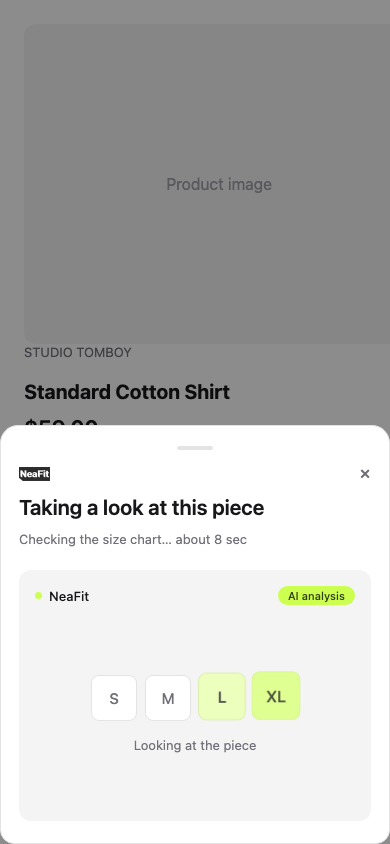
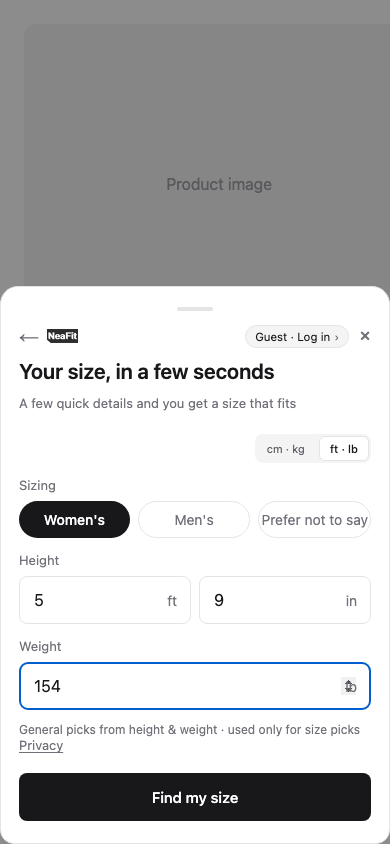
NeaFit is an AI size & fit assistant that installs on product pages with a single line of script. Shoppers enter their height and weight; it recommends a size from the garment's real measurements and answers fit questions in a chat.
A wrong size costs more
than return shipping
Size is a common hesitation in online fashion. A size return means support time, inventory stuck in transit, and a customer who may not come back.
Size returns leave shipping disputes and handling costs behind.
“I'm 5′4″ — will M fit?” The hours spent answering add up.
While a return travels, that piece can't sell. Inspection and restocking take hands too.
We'd rather show you the real thing
Ask for a demo and we'll send a product page with the live widget installed. Enter a height and weight and the production AI analyzes it for real.
Apply below or email hello@neafit.xyz and the demo link comes with our reply.
NeaFit in one minute
The problem, the fix, and how it works, in short.
One widget, three jobs
Confidence for shoppers, fewer repeat questions for your team.
Reads the size table on your product page and compares the garment's measurements with the shopper's height and weight.
Answers fit questions on the product page and hands the ones it can't answer to your team.
Your brand's fit notes, written once in the admin, apply to every pick and answer.
How shoppers use it
No sign-up, and they never leave the product page.
Feet, inches and pounds, or centimeters and kilograms. Saving go-to garments makes later picks sharper.
It reads the size chart and compares shoulder, chest and length.
Fit notes per size make the choice clear. Between two sizes, it asks about fit preference.
What NeaFit is built to change
Size questions and size-related returns are a steady cost in fashion e-commerce. NeaFit is built to take them on.
The AI handles the routine questions; the hard ones reach your team.
Picks come from the garment's measurements, not a generic size chart.
A clear size and fit notes, right on the product page.
Activation in four steps
The only engineering needed is pasting one line of script. Step-by-step: install guide.
Tell us your brand and store URL with the form below.
Once approved, we email your brand admin account and a site ID for your store.
Shopify: Online Store → Themes → Edit code → add it just above </head> in theme.liquid. We test on Shopify Online Store 2.0 themes. On WooCommerce, BigCommerce or a custom storefront, email us and we'll help you install.
Choose Basic or Premium in the admin and the widget goes live for shoppers.
Simple, upfront pricing
$49 / $99 per month · plus applicable tax. A "call" is one size recommendation or one chat reply.
200 calls per month.
500 calls per month.
300 additional calls when you need more in a month. Premium plans only.
At the monthly limit. Calls reset on the 1st of each month (Korea time). Going past your plan's calls never adds a charge. If a store reaches 120% of its monthly calls, the widget pauses until the 1st or until you upgrade (or, on Premium, add a pack).
Changing plans. Upgrades take effect right away, as a new payment. Downgrades take effect at the end of the current billing period.
Set up in 10 minutes once approved. Cancel anytime. Full terms: subscription terms.
Frequently asked questions
Which platforms does it support
Where does NeaFit get our size chart
How is shopper data handled
Is the widget accessible
What are your support hours
Apply for access
Tell us about your store below. Once we approve your application, we'll send your admin account and site ID. Paste one line of script, then pick a plan and the widget goes live. We reply within one business day (Korea time, Mon–Fri).
Prefer email? Write to hello@neafit.xyz.